
Pipeline Feature Overview
Do you want a better system for managing your leads and closing sales? MEGAVISION Pipelines can help.
This feature lets you create stages for your marketing campaigns, allowing you to see how each lead moves through your sales process.
Let’s discuss this feature in detail, find out the benefits of MEGAVISION Pipelines for business and marketing agency owners, and learn how to set up your own in a few steps.
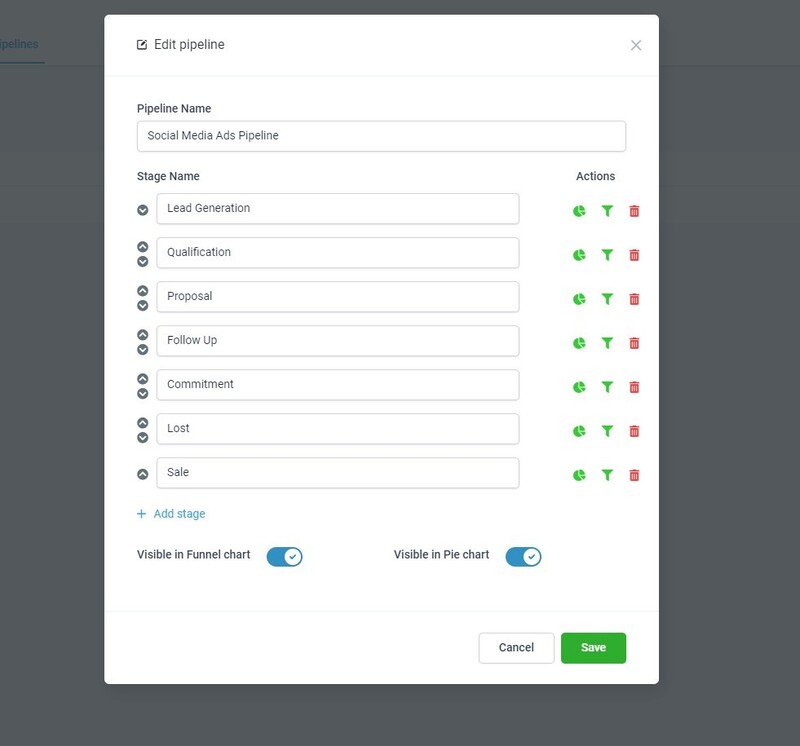
In marketing, a sales pipeline is a visual way to track your potential sales and conversion rates. It shows you your future clients and where they are in their customer journey.
A pipeline lets you see your leads clearly and helps your sales team know two crucial things.
Furthermore, this feature works hand-in-hand with the “Opportunities” feature. Once you set up your MEGAVISION Pipeline, you can view each lead or opportunity and monitor their progress through your sales funnel.
With this feature, you and your team can:

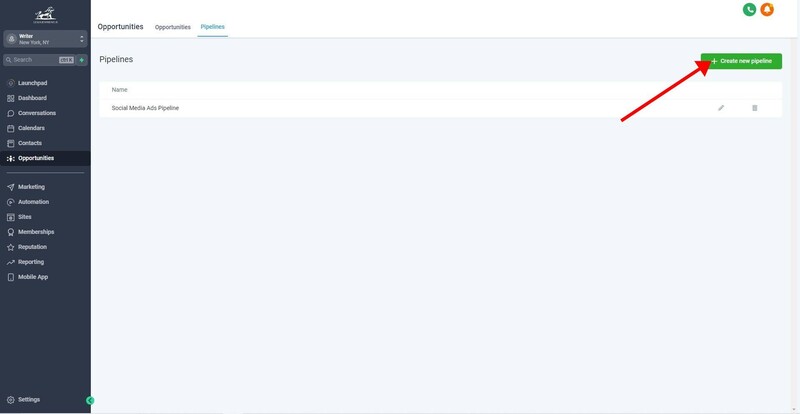
Select the “Create New Pipeline” button on the top right part of your dashboard.
Type in the name of your Pipeline and select “+Add Stage.”

If you want to change the order, click the arrow up or down next to the stage.

MEGAVISION enables the funnel and pie chart by default, but you can turn them off. This lets you see your Pipeline’s conversion rate overview in your main dashboard.
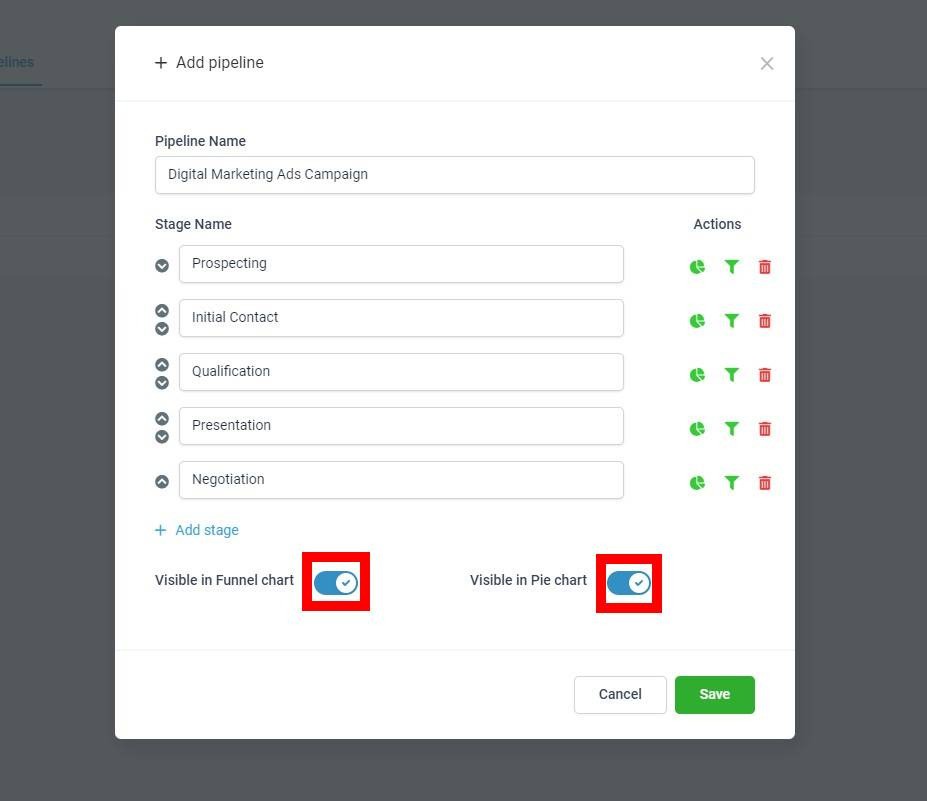
If there’s a particular Pipeline step that you don’t want to reflect on your charts, you can click turn them off under the “Actions” column.

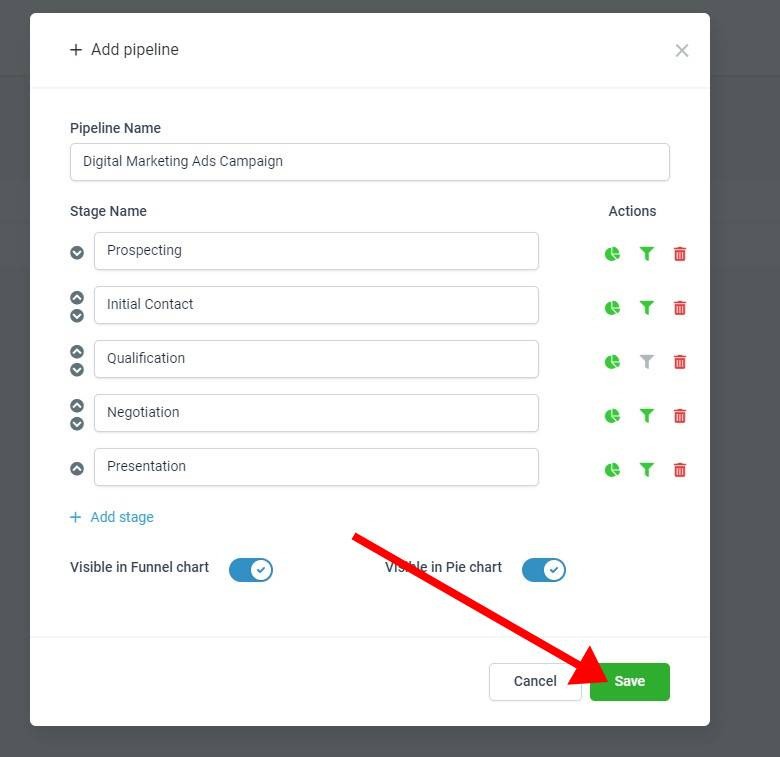
Click “Save” once you’re done.
Afterward, you can go to the “Opportunities” tab next to “Pipelines” and add a new lead by clicking “+New Opportunity.”
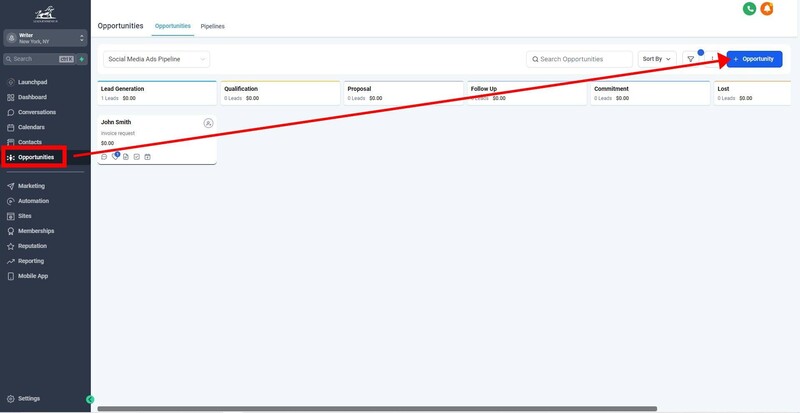
Once you create a new opportunity, you can manually drag and drop it to the stages or add more leads.
Editor’s Note – You don’t have to add stages for closed, missing, or lost deals. MEGAVISION automatically provides “Won,” “Abandoned,” and “Lost” for each pipeline. It’s visible once you drag your contact inside the “Opportunities” tab.
Automation can improve your pipeline and make it more powerful. There are many things you can do, like:
There are so many possibilities. Here’s one that I created as an example:

You can experiment and explore your options by going to the “Automations” tab and selecting “+Create Workflow” under “Workflows.”

MEGAVISION provides a beginner-friendly way to build a sales pipeline for your services. This feature can help you and your team monitor your prospects’ journey and ensure you don’t miss any opportunity.
A Pipeline maps out the stages of your sales campaign, while an Opportunity is a potential sale or lead that moves through your campaign.
You can create as much as you want in any sub-account with no extra fees and any MEGAVISION subscription plan.
If you want to increase your conversion rate, build more effective campaigns, and keep all your leads in your team’s sight, MEGAVISION Pipelines offers the solution you need.
Build your first sales campaign with the platform by signing in to your account or registering for one of the
Detailed Features