Conversations – All Communication Channels Handled in One Place
Juggling multiple platforms to interact with your leads is common. But it comes with its own set of challenges.
You might be buried under hundreds of notifications, and this chaos can lead to missing your next big client or project.
Here’s where MEGAVISION steps in with its Conversations feature. I’ll tell you more about it and how it works in this post.
Table of Contents (Click Arrow to Open)
Conversations Overview
The Conversations tool serves as a centralized hub where you can receive and respond to messages from many channels:
Voice calls
SMS
Emails
Social media DMs
WhatsApp
Google My Business
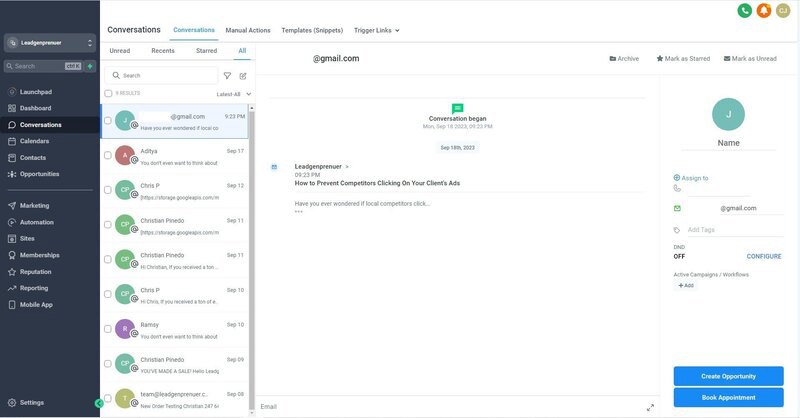
At first glance, it looks like any other inbox. But click on a conversation, and you’ll uncover valuable details – your contact’s name, email, phone number, tags, and even the active campaigns and workflows they’re part of.
Having this data at your fingertips allows you to send more personalized messages. But there’s so much more you can do with this tool.
Create an Opportunity. You can add leads to a specific stage in your pipeline with a click.
Book Appointment. Scheduling a meeting has always been challenging. With a few clicks, you’ve secured a new potential client.
Include Contacts in Workflows. You can quickly integrate your contacts into ongoing workflows or start a new one.
Remove Chats. Keep your inbox pristine by deleting redundant or outdated conversations.
How Does MEGAVISION Conversations Work?
Here’s the list of the main features and what you can do with them.
Conversation Inbox
Finding the “read” and “unread” messages within the conversation dashboard is straightforward.
It prevents you and your team from repeated efforts and ensures every customer gets the attention they deserve.
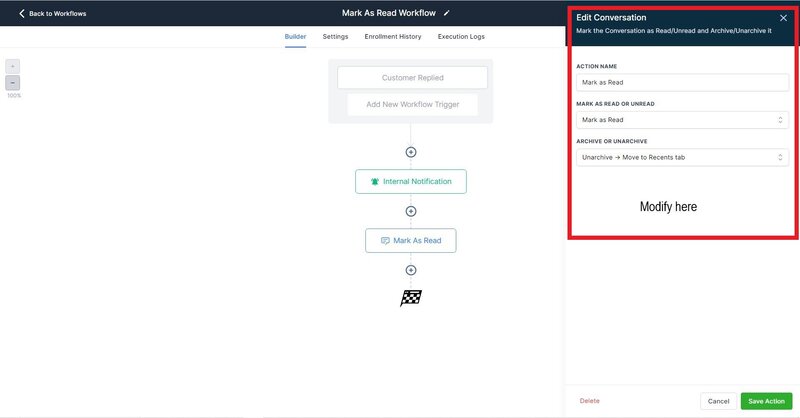
But what’s great is you can also add automation. For example, a customer replies to an email with the phrase “interested.” You can set a MEGAVISION trigger that marks that message as “read” and then send an internal notification to your team.
To set this up:
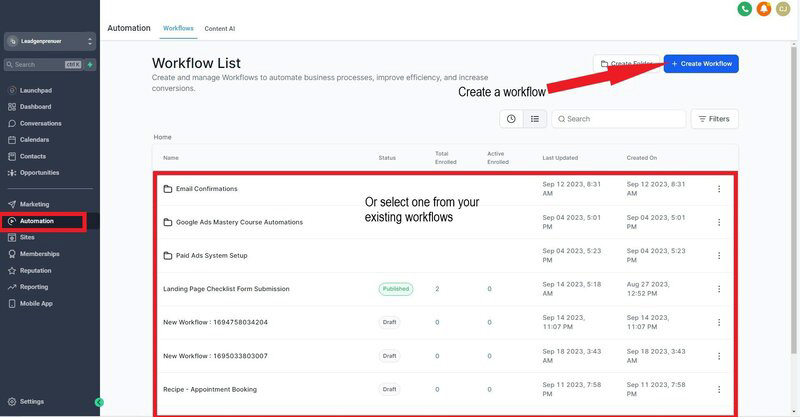
Click “Automation” on the sidebar and select or make a Workflow.
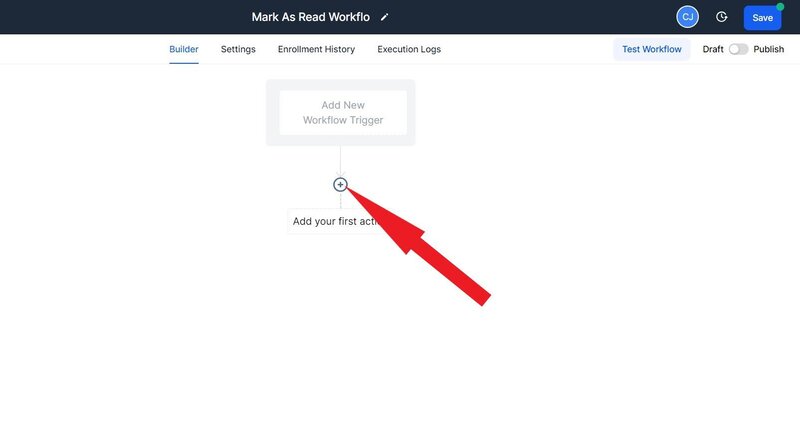
Select the “+” to add an action for the trigger.
Choose “Edit Conversation” to modify your automation. Don’t forget to click “Save.”
Bulk Actions
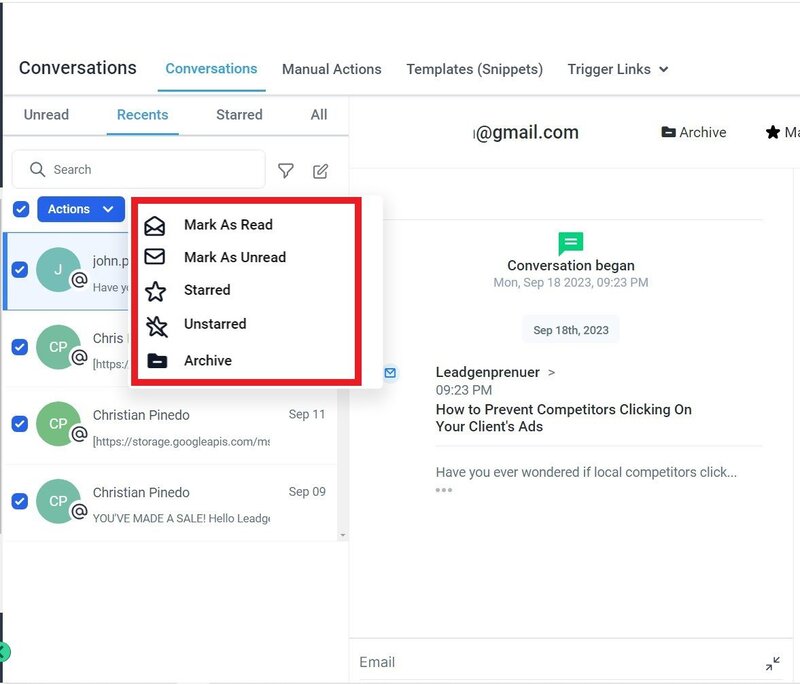
Bulk actions are the epitome of efficiency. The Conversations tool allows you to take action and handle up to 100 messages with a single click.
The bulk actions tool allows you access to options like delete, star, unstar, mark as unread, and mark as read. So you can instantly organize and declutter your inbox or highlight important messages.
Filter and Sort Options
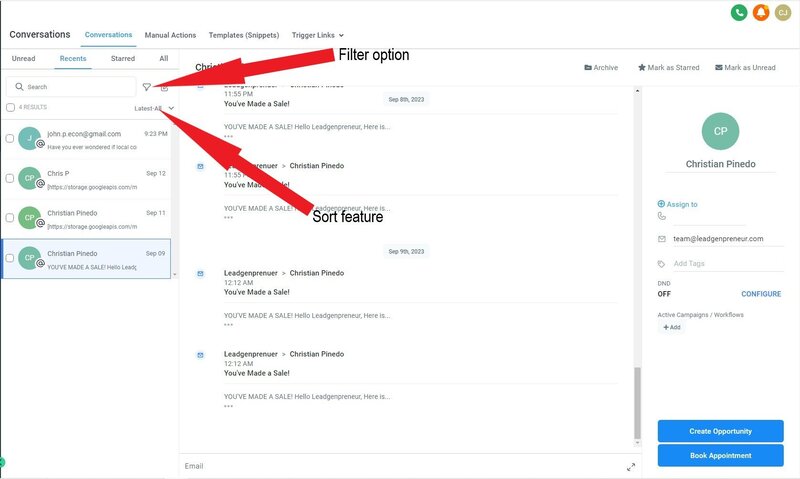
The Conversations feature also aims to make the process of finding messages painless with its intuitive filtering options.
Additionally, the sort option lets you organize messages from the latest to oldest or oldest to the latest. These two help catch up on recent communications or revisit older, unresolved queries.
You can find the filter and sort tools just above the chat box.
CC and BCC
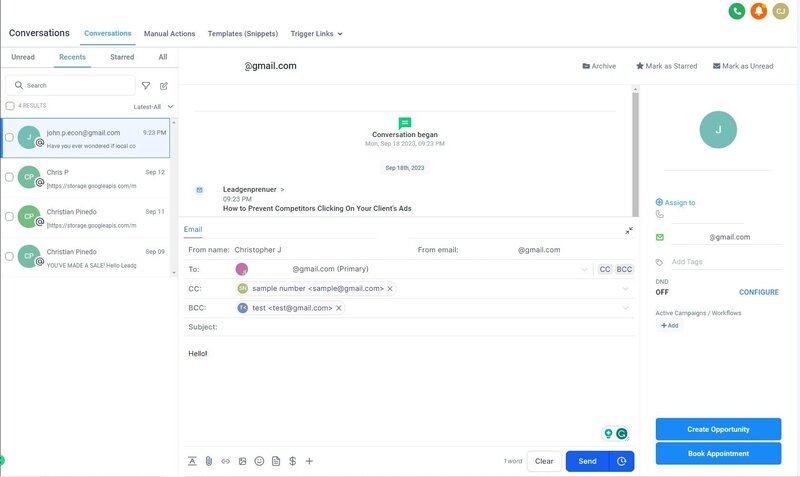
Last but not least, the Conversations also supports CC and BCC options.
While CC keeps all recipients in the loop, BCC allows for more discreet communication, perfect for internal notes or sensitive information.